

Intercom Troubleshooting
Intercom Troubleshooting
Intercom Troubleshooting Guide — Most intercom faults can be narrowed down in a few minutes with one simple rule: troubleshoot in the right order. This guide walks you through diagnosing any intercom the way a technician does - from power, through audio and video, to the gate-release - and tells you plainly when a fault needs a professional. We repair every make across Johannesburg, Pretoria and Gauteng.
Call For a Free Quote
061 402 6299
Request a Callback
Diagnose In The Right Order
Intercom Troubleshooting: Find The Fault, Step By Step
The reason a dead intercom feels mysterious is that people check things at random. A technician doesn't - they work outwards from power in a fixed order, because each stage either clears or confirms a whole class of faults. Follow the same order and you will usually land on the cause without guesswork.
The sequence is simple: power → connection → audio → video → gate-release. If the unit is completely dead, you stop at power. If it powers up but there is no sound, you stop at audio. If sound works but the gate won't open, the fault is downstream at the gate-release. Below we go through each stage, what to check, and what the result tells you.
For any specific symptom you can jump straight to its dedicated guide - no power, no audio, buzzing, gate not opening, or a power-supply fault - each linked below. This page is the map; those are the detail.
Step-By-Step Troubleshooting
Walk these five stages in order. You can do every one of them safely, and each result narrows the fault dramatically - so even if you stop and call us, you and we already know where the problem lives.
Power
Is the unit lit? Check the plug or transformer is on and the wall socket works, then check your DB board for a tripped breaker on the gate circuit. Reset a tripped breaker once. Dead or tripping again means a power fault.
Connection
On a GSM unit, confirm the SIM has airtime or data and there is signal at the gate. A lapsed or de-registered SIM is a top cause of a unit that has stopped calling with nothing actually broken.
Audio
Press call. Can you hear the visitor, and they you? Silence or one-way sound points to the gate station, handset or audio wiring. A constant buzz or hum points instead to the supply or connectors.
Video
On a video unit, is the picture clear? Black or snowy means the camera, the cable or its power. No app notifications on a Wi-Fi unit means network or app configuration rather than hardware.
Gate-release
Audio works but the gate won't open? Test the gate from its own remote first. If the remote opens it, the fault is the trigger circuit between intercom and motor - not the motor itself.
Troubleshooting By Symptom
Six symptoms, six dedicated guides - find yours and follow it through.
Match what you are seeing to the cause - each card links to a dedicated guide that covers that fault in full depth, with prices and the exact repair.
Completely Dead - No Lights
No power reaching the unit, or the power supply itself has failed. Usual suspects: surge-damaged PSU, flat backup battery, tripped circuit. Full detail on our Intercom Power Supply Repair guide.
No Audio, Or One-Way Sound
Gate-station microphone or speaker, corroded connectors, or a broken audio pair. The outdoor unit weathers and fails first. See No Audio on Intercom.
Rings, But The Gate Won't Open
The trigger circuit between intercom and motor - a broken wire, a failed relay or a voltage mismatch - not the intercom itself. See Intercom Gate Not Opening.
Buzzing, Humming Or Crackling
A failing supply, an earth issue, corroded connectors or water ingress. The character of the noise points to the cause. See Intercom Buzzing Sound.
GSM Unit Won't Call Your Phone
Airtime, signal, a de-registered SIM or a unit fault. Covered on our Intercom Not Working guide alongside the other symptoms.
Video Screen Is Black Or Snowy
A failed camera module, a water-damaged video cable, or a power fault starving the camera. Tested at the source and covered on Intercom Not Working.
Troubleshooting By System Type
Knowing your system type tells you which handful of parts to suspect first, before anyone opens a cover.
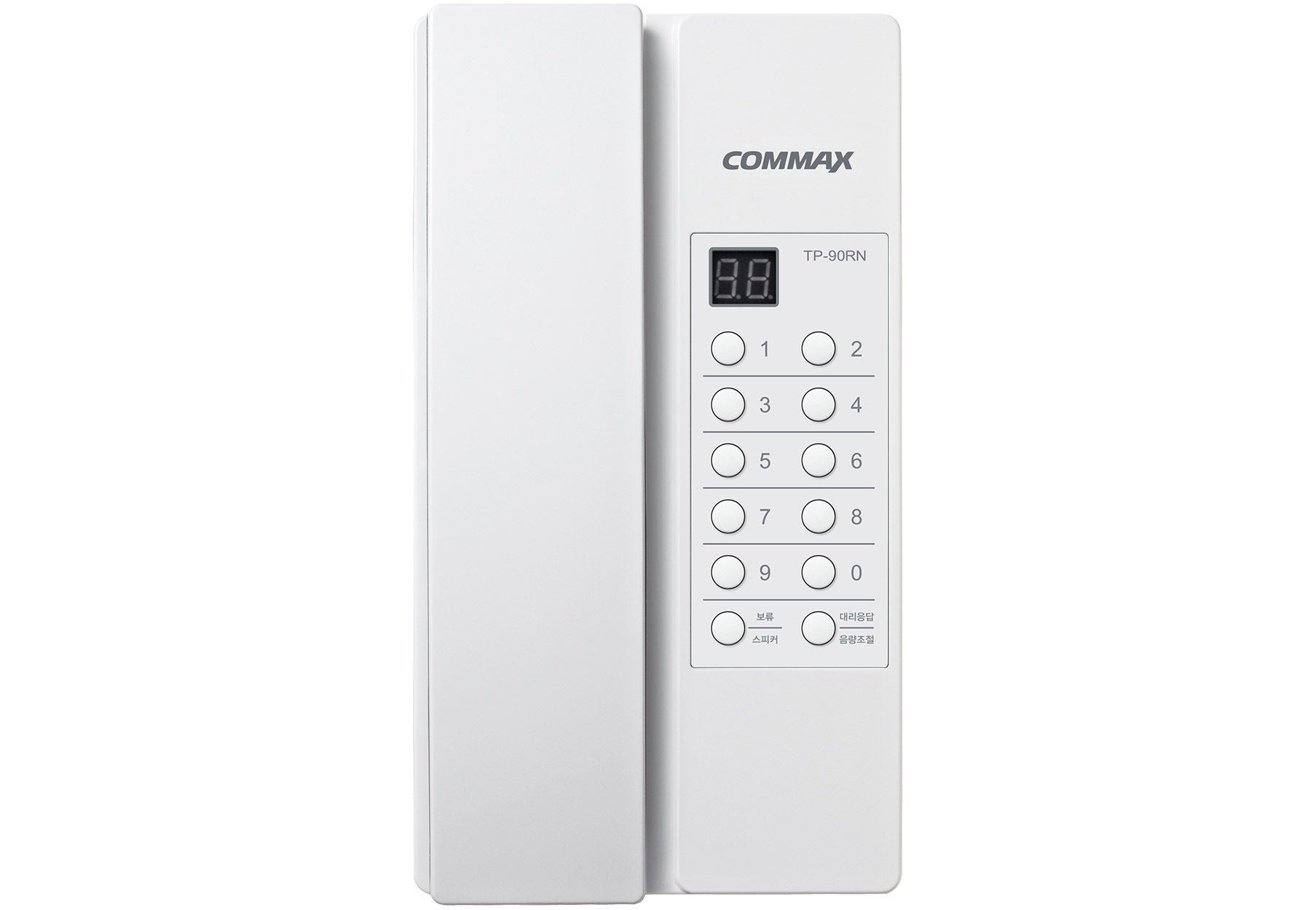
GSM Dialler Intercom
A SIM unit that dials your phone. Fails most often at the SIM, the signal or the trigger. Check airtime, signal and that your number is still programmed before anything else.
Best for: Start with SIM and signal - the cheapest and most common causes.
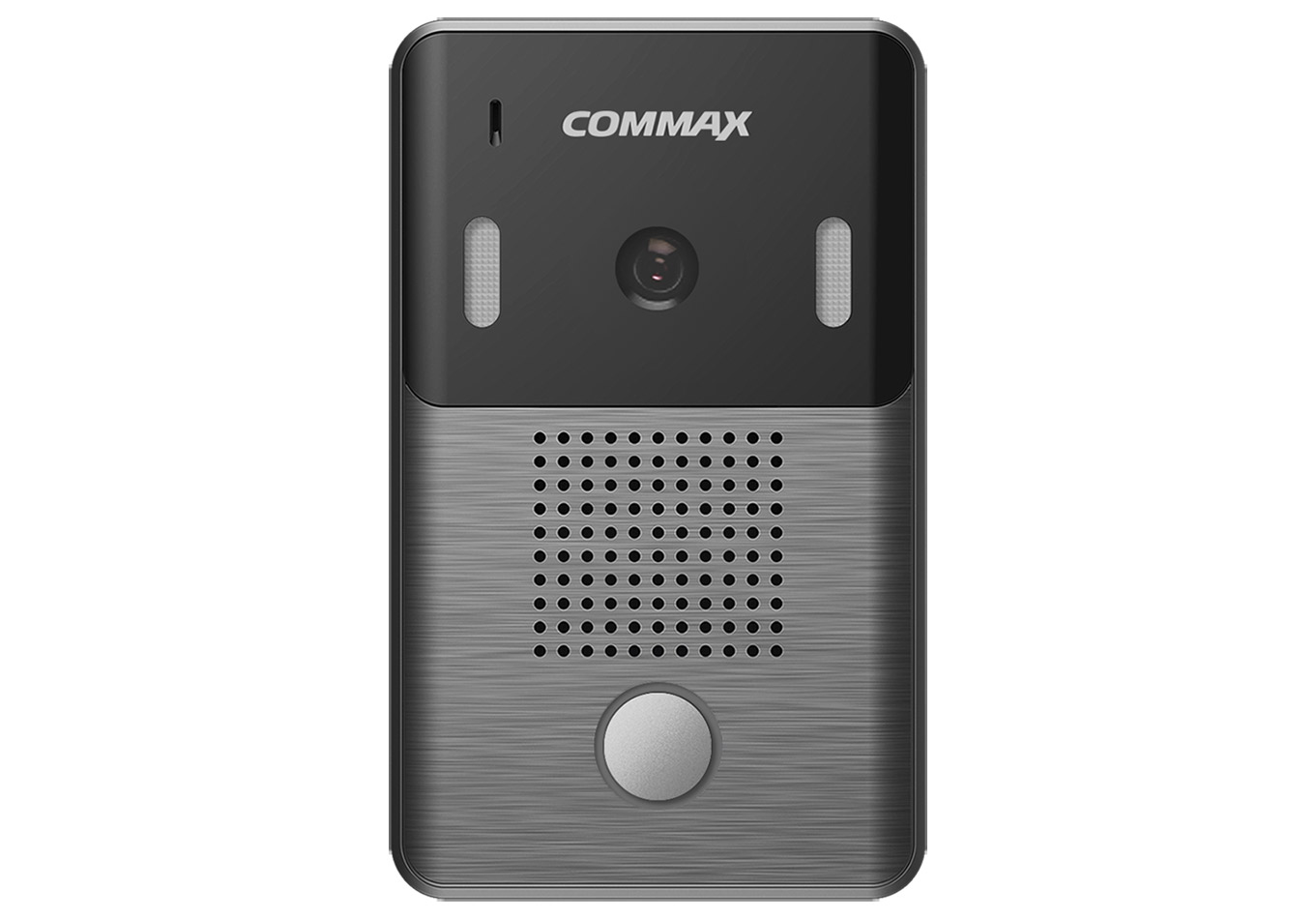
Video Intercom
Fails at the camera, the cable, the screen, or (on Wi-Fi units) the network. A black screen with the unit powered points to camera or cable, not the monitor.
Best for: Test the camera feed at the gate before suspecting the indoor screen.
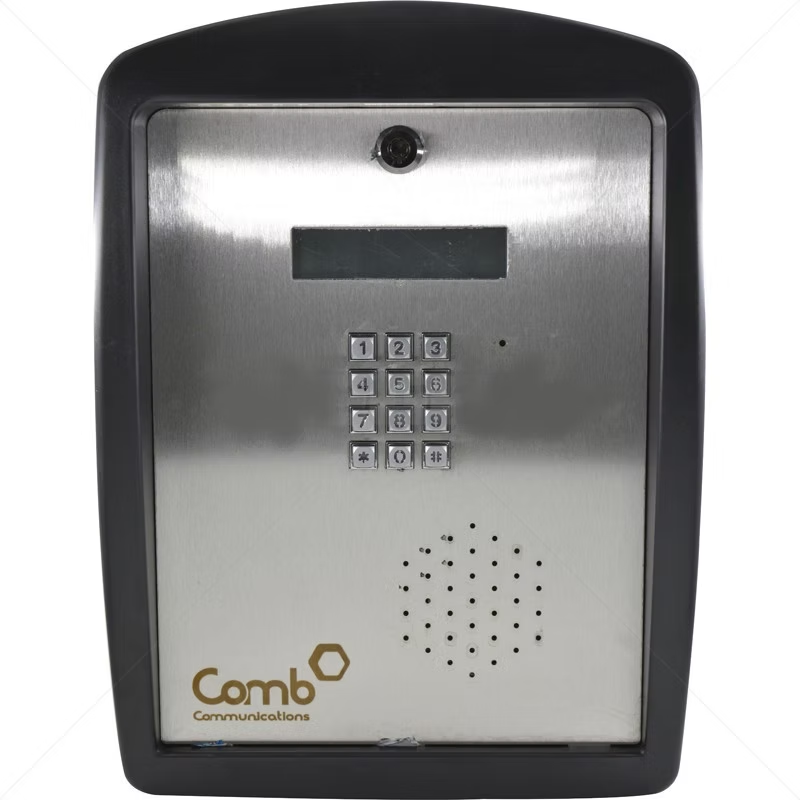
Multi-Unit / Complex
Either the whole panel is down (power or main board) or a single unit is affected (that unit's riser or handset). The two have completely different fixes and costs.
Best for: Establish whole-panel vs single-unit first; it changes everything.
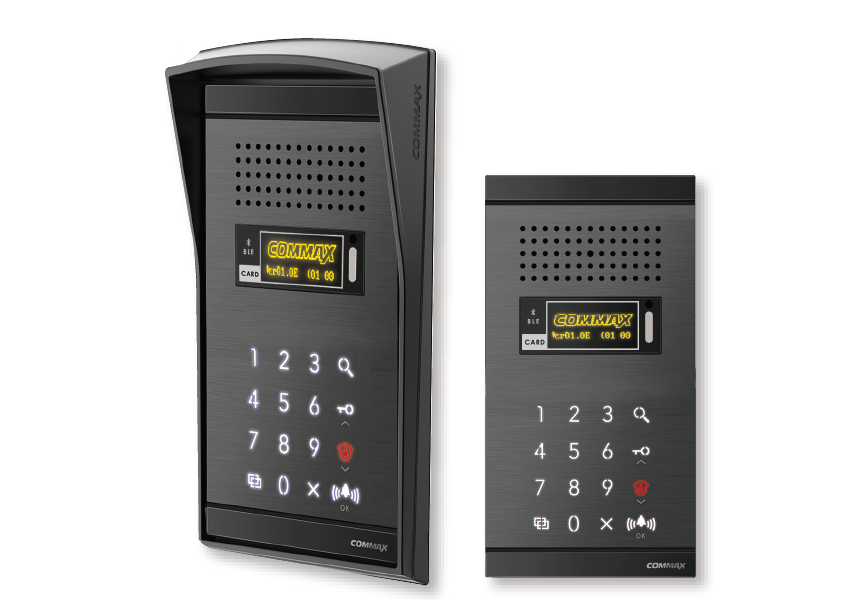
Audio Intercom
Fails at the gate station, the handset, or the wire between them. One-way audio tells you which direction - and therefore which part - has gone.
Best for: Isolate gate-station vs handset vs cable to avoid replacing the wrong part.
What You Can Safely Check - And What To Leave
Troubleshooting is safe right up to the point where mains voltage or the gate-motor board is involved. Knowing the line keeps you - and your electronics - out of trouble.
Safe To Do Yourself
Check the power and the breaker, reset a tripped breaker once, top up a GSM SIM, clean a dirty or stuck button, re-seat a handset, look for water, ants or chewed cable, and test the gate from its remote. All low-risk and genuinely useful.
Leave To A Technician
Anything inside the gate-motor controller, testing or replacing the power supply, trigger wiring and relays, riser fault-finding on a panel, or any live work. Intercoms are low-voltage, but they connect to mains-fed supplies and your gate-motor board - and a wrong connection there is an expensive mistake.
Why The Order Matters - And Why It Saves Money
Troubleshooting in sequence is not just tidy - it is what keeps a repair cheap. The single most common way people overspend on an intercom is by replacing parts in the wrong order: a new handset for what was actually a dead power supply, or a whole new unit for what was a corroded trigger wire. Each wrong guess costs a part and a visit.
The power-first sequence avoids that because it eliminates the cheapest and most common faults before the expensive ones are ever considered. If you tested a hundred not-working intercoms, the majority would be resolved at the first two stages - power and connection - long before anyone needed to look at the camera, the panel or the board. Working any other way means paying to rule out the rare faults first.
It also matters for the gate-release fault specifically. Because the intercom and the gate motor are two systems joined by a thin trigger wire, a rings-but-won't-open fault is constantly misread as a broken intercom - leading to a needless replacement that changes nothing, because the real fault was in the wire all along. The remote test in stage five settles that in seconds.
How We Troubleshoot On Site
When the safe checks do not resolve it, here is exactly what a technician does - the same sequence, with the instruments to go deeper.
Test & Isolate
We meter the supply voltage under load, test the backup battery, and isolate the gate station, handset, cable or trigger circuit to find the exact failed component - never a guess. The free assessment gives you a firm price before any work.
Repair On The Spot
Our vans carry power supplies, batteries, handsets, relays and cable, so the large majority of faults are repaired on the first visit, with no return trip and no second call-out fee.
Test & Protect
We test call, audio, video and gate-release end to end, fit surge protection where a surge was the cause, and demonstrate the working system - backed by a workmanship guarantee.
Brands We Repair
Brand-Specific Troubleshooting Notes
The five-stage sequence works on any intercom, but each brand has its own quirks worth knowing before you start. We carry parts and wiring diagrams for all of them.
Centurion (G-Speak, POLOphone)
Reliable GSM and wired units. When one stops working, suspect the power supply, the SIM or the trigger wiring before the unit itself. Programming faults usually trace to an incorrect SMS command format rather than a hardware failure.
Commax
Very common audio and video handsets. The outdoor gate station - its speaker, microphone or camera - almost always fails before the protected indoor handset, so troubleshoot the gate end first.
BPT
Estate and apartment door entry. Faults concentrate in the entrance-panel modules and the ageing risers feeding individual units, so a single-unit fault rarely means a panel-wide problem.
Hikvision (IP / 2-wire)
Modern app-based video. A surprising share of Hikvision faults are network or app configuration rather than hardware - confirm the unit is on the network before suspecting the camera or screen.
Urmet, Legrand & Elvox
European systems on older estates. Module and riser corrosion are the usual age-related faults; the units themselves are robust but the connections weather over the years.
Any GSM Dialler
Whatever the brand, GSM faults follow the same order: airtime, signal, SIM registration, programmed numbers, then the unit. The first four resolve most of them at no parts cost at all.
The Mistakes That Turn A Small Fault Into A Big Bill
Most overspending on intercom repairs comes from a handful of avoidable missteps. Knowing them is half of troubleshooting well.
Replacing the unit first. The instinct when an intercom "dies" is to buy a new one. But if the real fault is a R450 power supply or a R600 trigger wire, a new unit is money spent on the one part that was never broken - and the fault often returns, because the supply or wire is still the problem.
Ignoring the power stage. Skipping straight to the camera, the handset or the panel means paying to rule out rare faults before the common ones. Power and connection account for the majority of "not working" calls; checking them first is the single biggest money-saver.
Misreading "rings but won't open" as a broken intercom. It is the trigger circuit nine times out of ten. The 60-second remote test settles it - and skipping that test is how people end up with a new intercom and a gate that still won't open.
Living with an intermittent fault. A unit that works "most of the time" is usually a dying battery or a failing supply, and it will fail completely at the worst moment. Caught early on a load test, it is a cheap planned fix rather than an emergency call-out.
Letting a general handyman touch the gate-motor board. A wrong connection at the trigger terminals can damage the control board, turning a small repair into a board replacement. Low-voltage does not mean low-risk where the gate-motor electronics are concerned.
Before You Call - What To Have Ready
A two-minute prep makes the visit faster and the repair more likely to finish in one trip - because it lets us bring the right part.
Know The Symptom & The Brand
Be ready to say exactly what happens - dead, no sound, rings-but-won't-open, GSM not calling - and the brand if you know it. A photo of the unit on WhatsApp lets us identify the make and model before we leave the workshop.
Note The History & The Gate Motor
Tell us whether it followed a storm or power cut, how long it has been happening, and the make of your gate motor. Those three facts point us at the likely cause and the right trigger parts to carry for a single-visit fix.
When Troubleshooting Says "Replace, Not Repair"
Most of the time troubleshooting points to a cheap, single-part repair - which is exactly what you want. But honesty matters, and occasionally the right answer is a new system rather than another repair. Knowing the difference saves you from pouring money into a unit that is genuinely at the end of its life.
Replacement usually makes sense in three situations. The first is obsolescence: the unit is old enough that spare parts - handsets, cameras, boards - are no longer manufactured, so even a simple fault cannot be repaired with genuine parts. The second is repeated, unrelated failures: when a unit has had three or four different parts fail in a short space, the underlying electronics are deteriorating and each repair only buys a little time. The third is simple economics: when the cost of the repair approaches the cost of a new, better unit - especially if the new one adds GSM or app access you actually want - replacing is the sounder spend.
Even then, we will tell you plainly which it is. The default is always to repair, because a single failed part is far cheaper than a new system and most intercoms have years of life left in them. We only recommend replacement when the numbers and the parts situation genuinely favour it - and we will show you why, not just tell you.
FAQs
Intercom Troubleshooting — Common Questions
How do I troubleshoot my intercom?
Work from power outwards: confirm the unit has power and the breaker isn't tripped, check the SIM and signal on GSM units, test audio and video, then test the gate-release. Each stage points to the failed part. Our guide above walks through it step by step.
Why is my intercom not working at all?
A completely dead intercom almost always means a power problem — a surge-damaged power supply, a flat backup battery, or a tripped circuit. Check the supply and breaker first; if it stays dead, the power supply usually needs replacing.
How do I know if it's the intercom or the gate motor?
Open the gate with its own remote. If it opens, the motor is fine and the fault is between the intercom and the motor's trigger terminals. If the remote won't open it either, the problem is the motor or its power, not the intercom
Is it safe to troubleshoot an intercom myself?
The basic checks — power, breaker, SIM, looking for damage — are safe for anyone. Anything involving the power supply, trigger wiring, relays or the gate-motor board should be left to a technician, as a wrong connection can damage expensive electronics.
How much does an intercom repair cost?
Most repairs run R350–R2,500 depending on the fault. A power supply or battery is R450–R900, a trigger or relay fix R550–R1,200, a video camera R800–R2,500. You get a firm price on site before any work starts.
Can you troubleshoot it for me remotely?
Often we can narrow it down from a description and a photo on WhatsApp before we arrive, which means we bring the right part. A full diagnosis still needs a technician on site to test the power supply, wiring and trigger circuit.
My intercom works intermittently - how do I troubleshoot that?
Why won't my GSM intercom call my phone?
What tools do I need to troubleshoot an intercom?
Can a single power surge cause several faults at once?
Does a GSM Intercom Work with My Centurion Gate Motor?
Yes. All GSM intercoms connect to the trigger relay terminals on your Centurion gate motor (or any other gate motor brand). When you press 9 on your phone, the intercom sends a brief short-circuit signal to these terminals, triggering the gate to open. Repairs Plus connects and tests this integration as part of every GSM intercom installation.
How Many Phone Numbers Can a GSM Intercom Call?
Standard GSM intercoms support 1–10 registered numbers. Any of these numbers can answer the call and press 9 to open the gate. Some advanced models support up to 100 numbers useful for cluster complexes. We recommend the model with the right capacity for your situation. Ask us when you call for a quote.
Should I reset my intercom before calling?
You can safely power-cycle it once - off at the wall or breaker for thirty seconds, then on. If it comes back, a glitch cleared; if it does not, the fault is hardware and a reset will not fix it.
Can I troubleshoot a complex or estate entrance panel myself?
Only the basics - confirming whether the whole panel is dead or just one unit, and checking the panel has power. Riser fault-finding and panel-module work needs a technician, and on a shared system a wrong move can take down units that were working.
Will replacing the backup battery fix an intermittent fault?
Often, yes - a tired battery is one of the most common causes of intermittent operation. But not always, so we test the supply as well; sometimes the battery is a symptom of a supply that can no longer hold voltage, and replacing only the battery would mask the real fault.
Have a different Question?
Get In Touch
Get Expert Help
Free assessments, all brands and system types, gate integration included. Tell us what your intercom is doing - or which step it fails at - and we'll tell you what's likely wrong before we even arrive. Serving Sandton, Fourways, Midrand, Centurion, Pretoria East and the wider Gauteng area
- 061 402 6299 — Call or WhatsApp
- info@paskwagaterepairs.co.za
- 7 Poplar Avenue, Broadacres, Sandton, 2021
- Mon–Fri: 07:00–18:00 | Sat - Sun: 07:00–14:00
- 24/7 Emergency Line available